Microsoft Dynamics 365 Partner · ERP & CRM
Every trade scheme, calculated correctly, inside your ERP.
Slab discounts, freight subsidies, primary trade offers, boosters and bundles — distributors run dozens of live schemes at once. Sunbridge’s Scheme Management Module applies the right one automatically, on every sales order line, so finance never has to chase it down after the fact.
Native to F&O
No external scheme spreadsheets·
Live in your existing environment
The problem with trade schemes today
Schemes run the business. Most ERPs weren't built to run schemes.
“The scheme is either applied correctly at the order line, or it isn’t — there’s no room for ‘approximately right’ when it feeds directly into finance.”
Design principle behind the Scheme Management Module
Discounts calculated outside the system
Slab tiers, freight subsidies and cash discounts get worked out in spreadsheets, then re-keyed into orders and re-checked by finance every month-end.
Region, brand and customer combinations multiply fast
A scheme that’s valid for one segment, one state, one date range looks simple — until you’re running forty of them at once across your distributor base.
No single view of what's active
Sales, finance and marketing each keep their own record of which schemes are live, which have expired, and which start next month.
Six scheme types, one module
Whatever your trade terms look like, it's already built in.
Each scheme type is configured once — segment, brand, region, customer group, date range — and applied automatically wherever it’s relevant. No two orders need a different process.
Slab discount
Percentage-based tiered discounts that step up with order volume.
Freight discount
Cash discount
Percentage discount tied to advance or early payment terms.
Primary / trade scheme
Discount or free-of-cost promotional schemes for primary sales.
Booster scheme
Incentive schemes triggered once a minimum quantity is reached.
Bundle booster scheme
Multi-SKU bundled promotions across related products.
How it works
From scheme creation to sales order, with no manual step in between.
Governed where your finance team works
Configure the scheme once
Set product, brand, segment, region, customer group and date range in the Scheme Management workspace — the same workspace your team already works in.
Orders apply the right scheme automatically
Whether the order comes from your OMS integration or is entered directly, the correct combination of schemes is applied at the sales order line.
Confirm and communicate instantly
Pro-forma confirmation goes out as an automated PDF over email, so the distributor sees exactly what scheme applied before the order is finalised.
See every scheme, active or otherwise
One dashboard view shows active, expired and upcoming schemes — so sales, finance and marketing are always looking at the same numbers.
INSIDE THE MODULE
This is the actual workspace — not a mockup.
Screens from a live Dynamics 365 F&O environment running the Scheme Management Module.
Scheme Management sits alongside Sales and Marketing, Rebate Management and the rest of F&O — not a bolt-on outside the system.
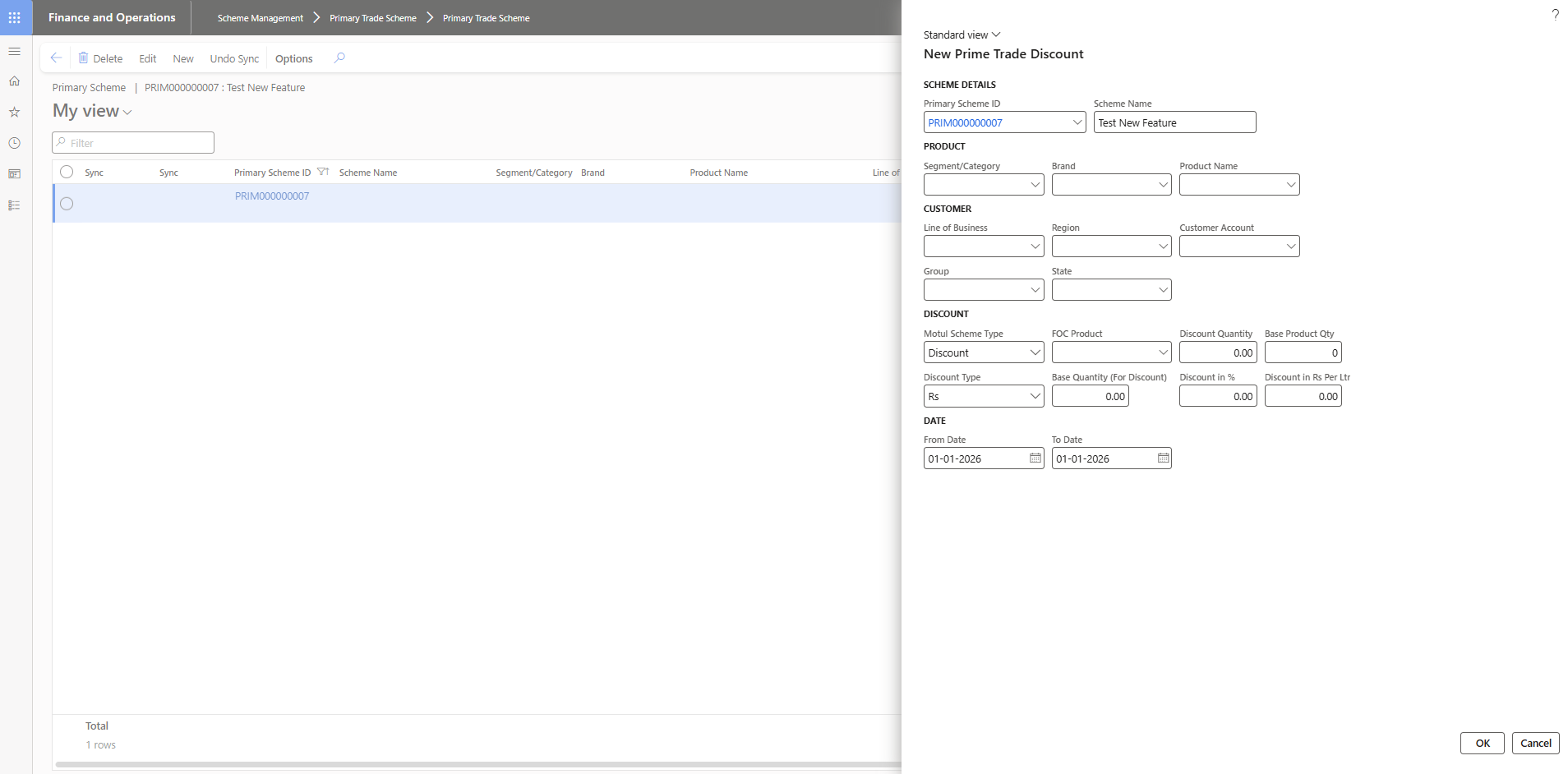
Every scheme — product, customer segment, region, discount logic, dates — configured in one form.
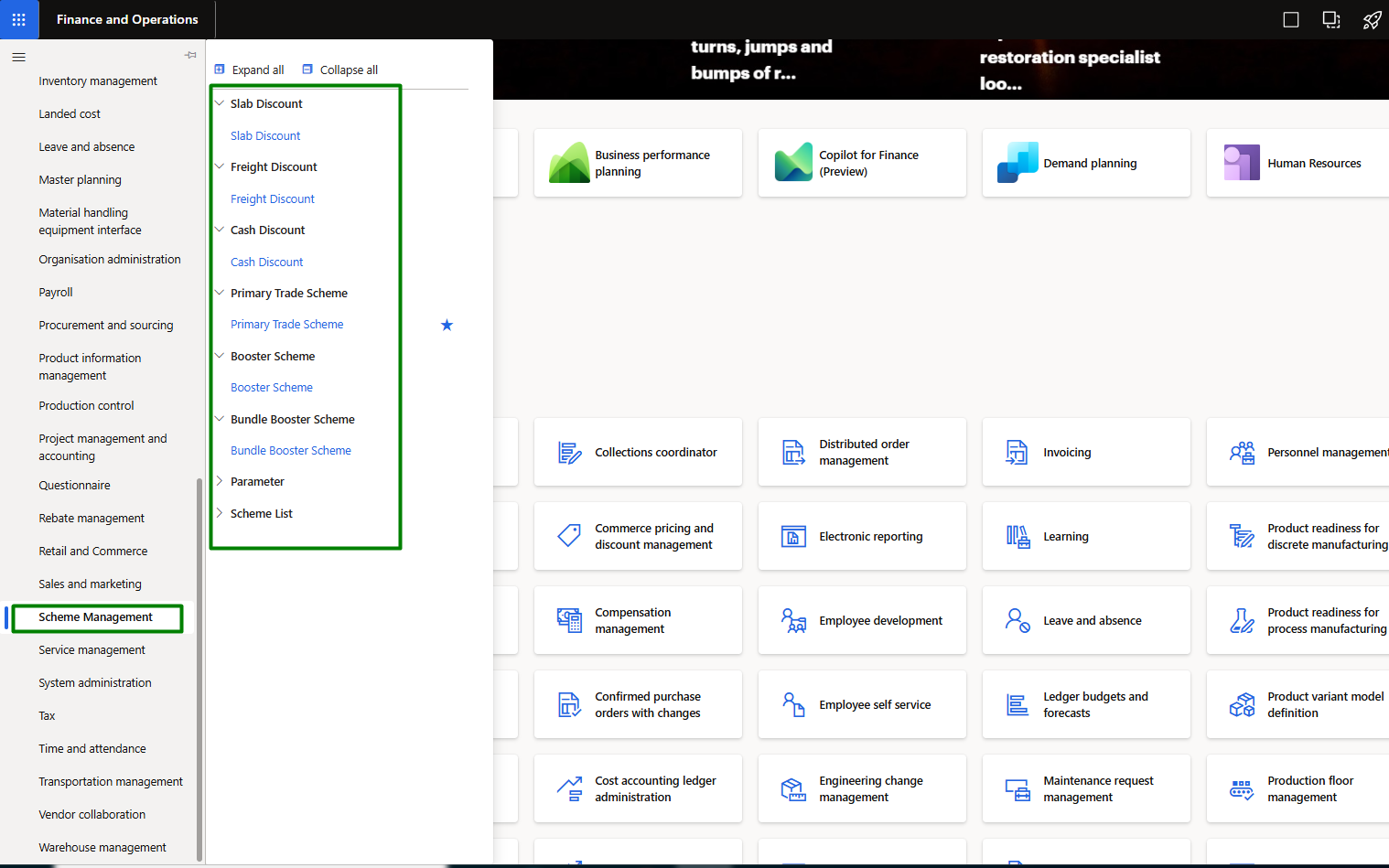
All six scheme types live under one menu, each with its own list and parameters.
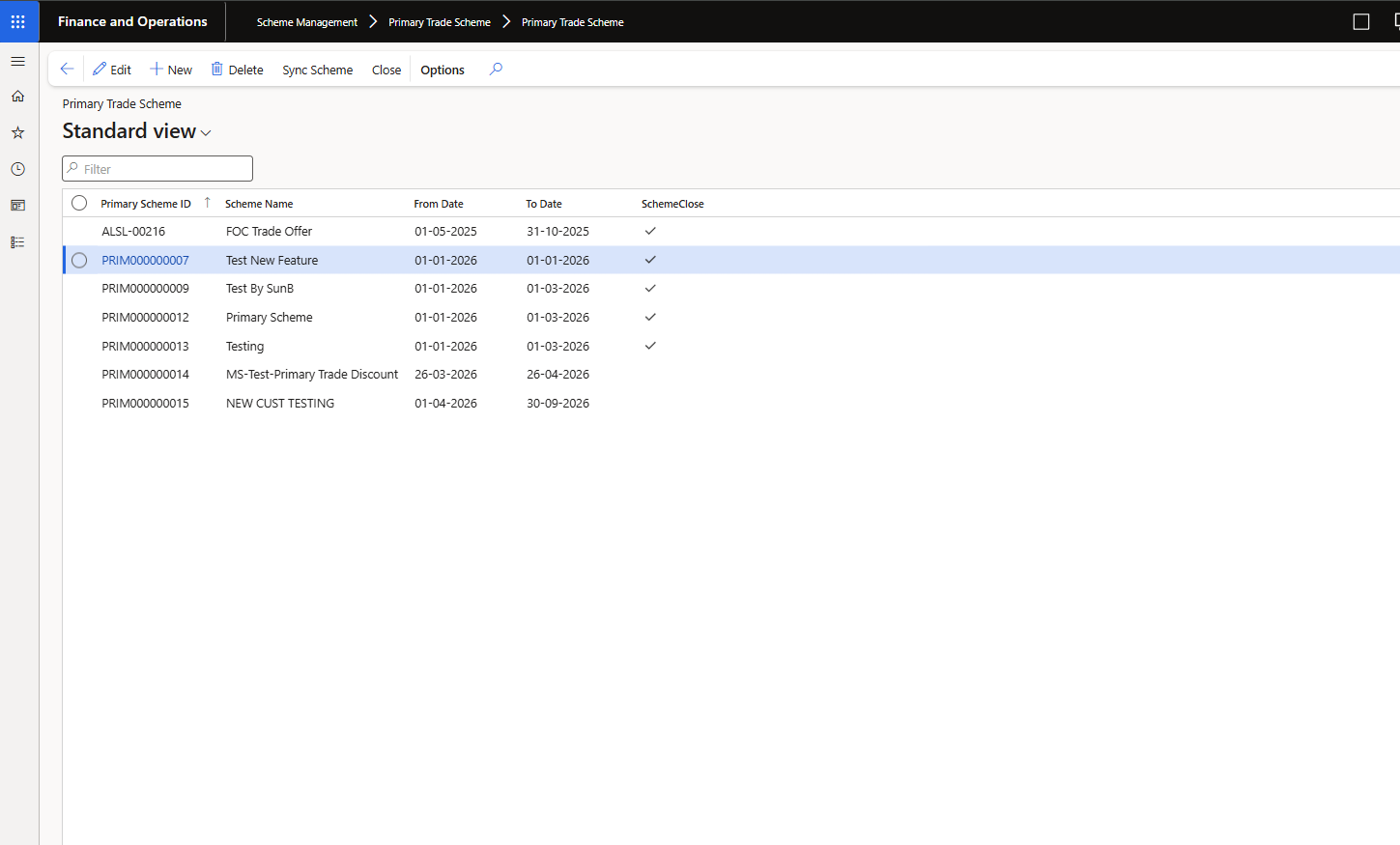
Every scheme — active, expired or upcoming — visible in one list view.
Built for the volume and complexity of consumable product trade.
Faster scheme launches
Marketing can launch a new promotion without waiting on IT or finance to manually configure it.
Fewer discount errors
Schemes calculate the same way every time — no re-keying, no version mismatches between teams.
Centralised finance control
Every scheme, discount and subsidy lives inside your ERP governance, not a parallel spreadsheet.
Centralised finance control
Every scheme, discount and subsidy lives inside your ERP governance, not a parallel spreadsheet.
Faster scheme launches
Marketing can launch a new promotion without waiting on IT or finance to manually configure it.
Fewer discount errors
Schemes calculate the same way every time — no re-keying, no version mismatches between teams.
Ready to see the difference?